Free Chrome extension
UK visa sponsor checker for Chrome
Open a job advert and see, next to the employer name, whether it holds a licence on the GOV.UK register of sponsors. Six UK job sites, no account.
The extension works on Chrome on a computer. On this phone, search the sponsor list or paste an advert into the job offer check.
Search the sponsor list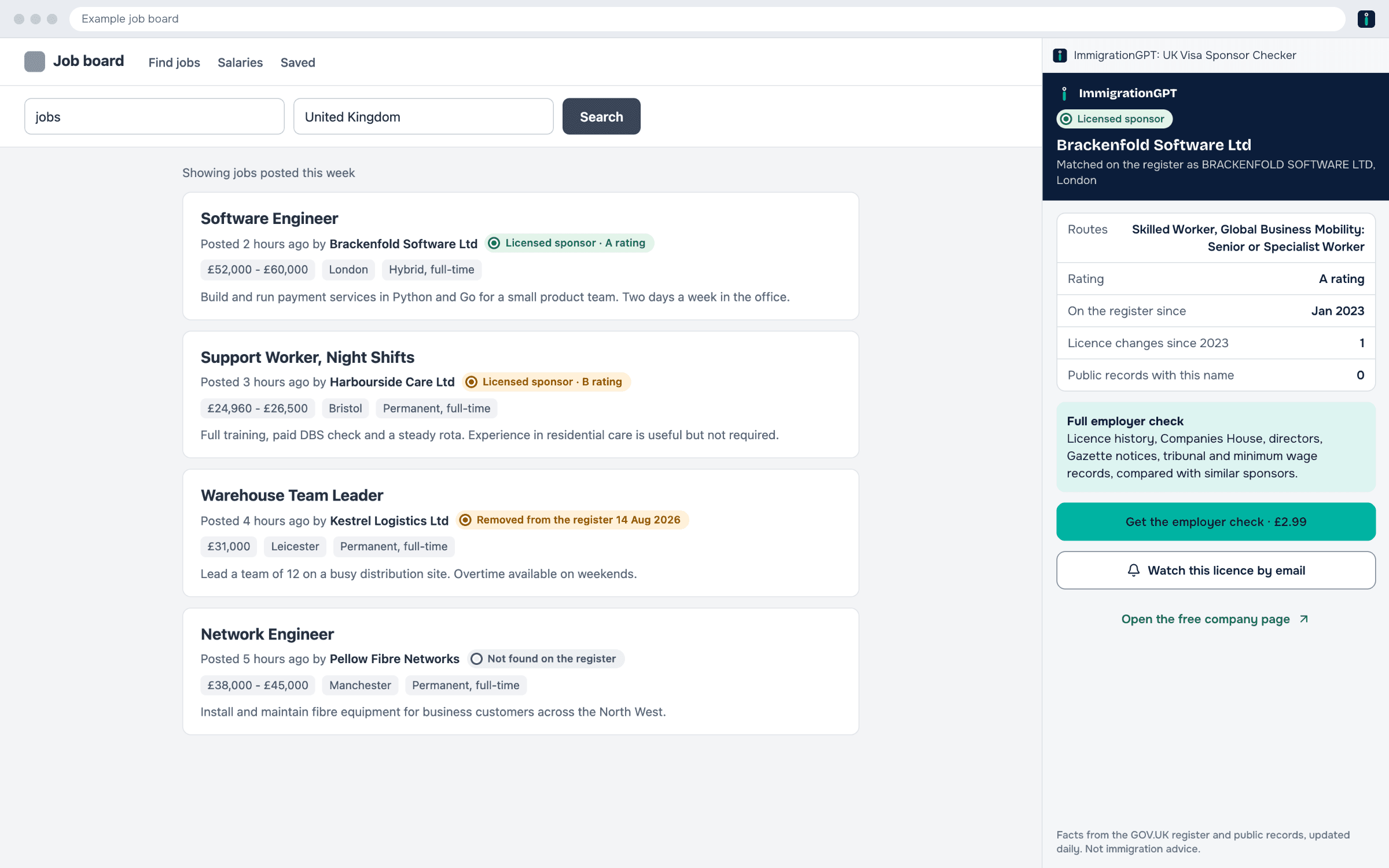
Example employers. Illustration.
How it works
Step 1
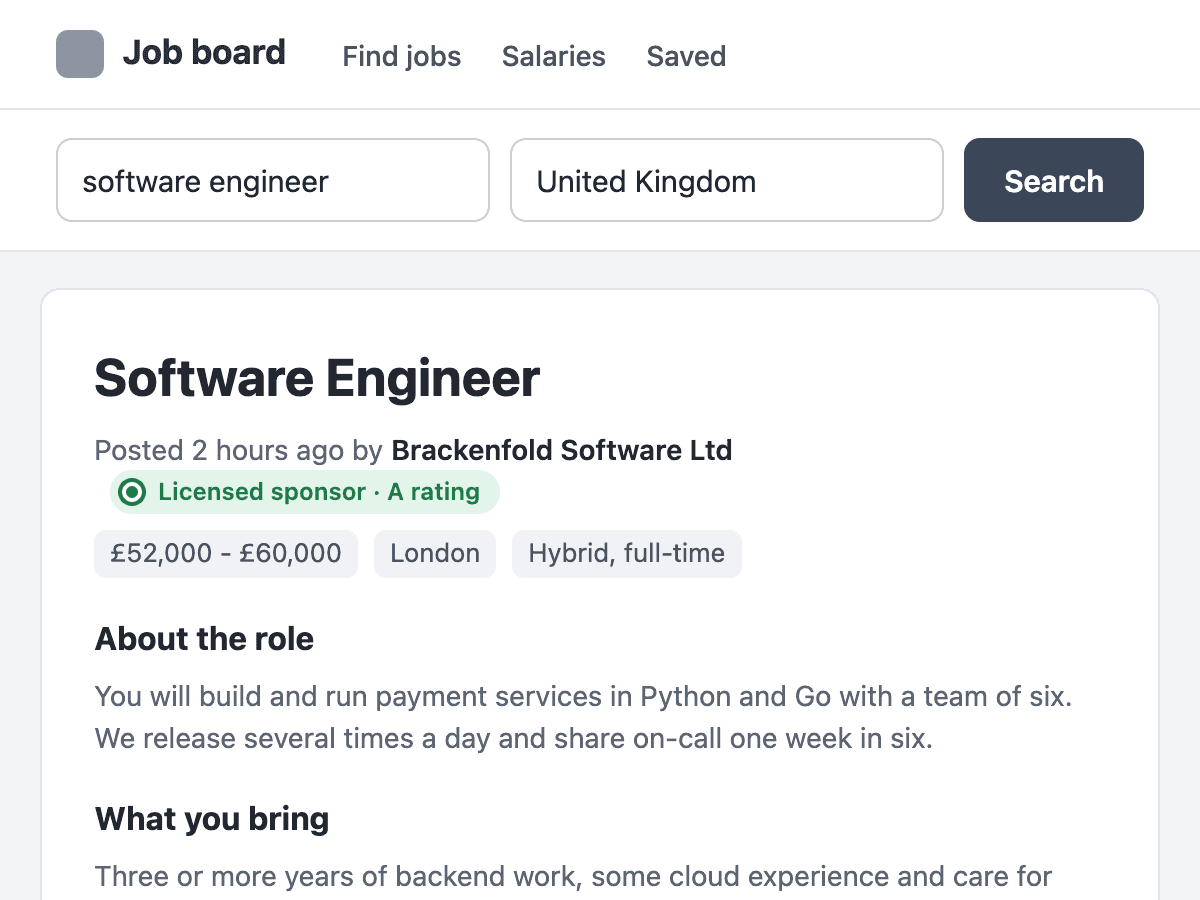
Open a job advert
The extension reads the employer name and puts the register status next to it. On search results, every job card gets one.
Step 2
Click the status
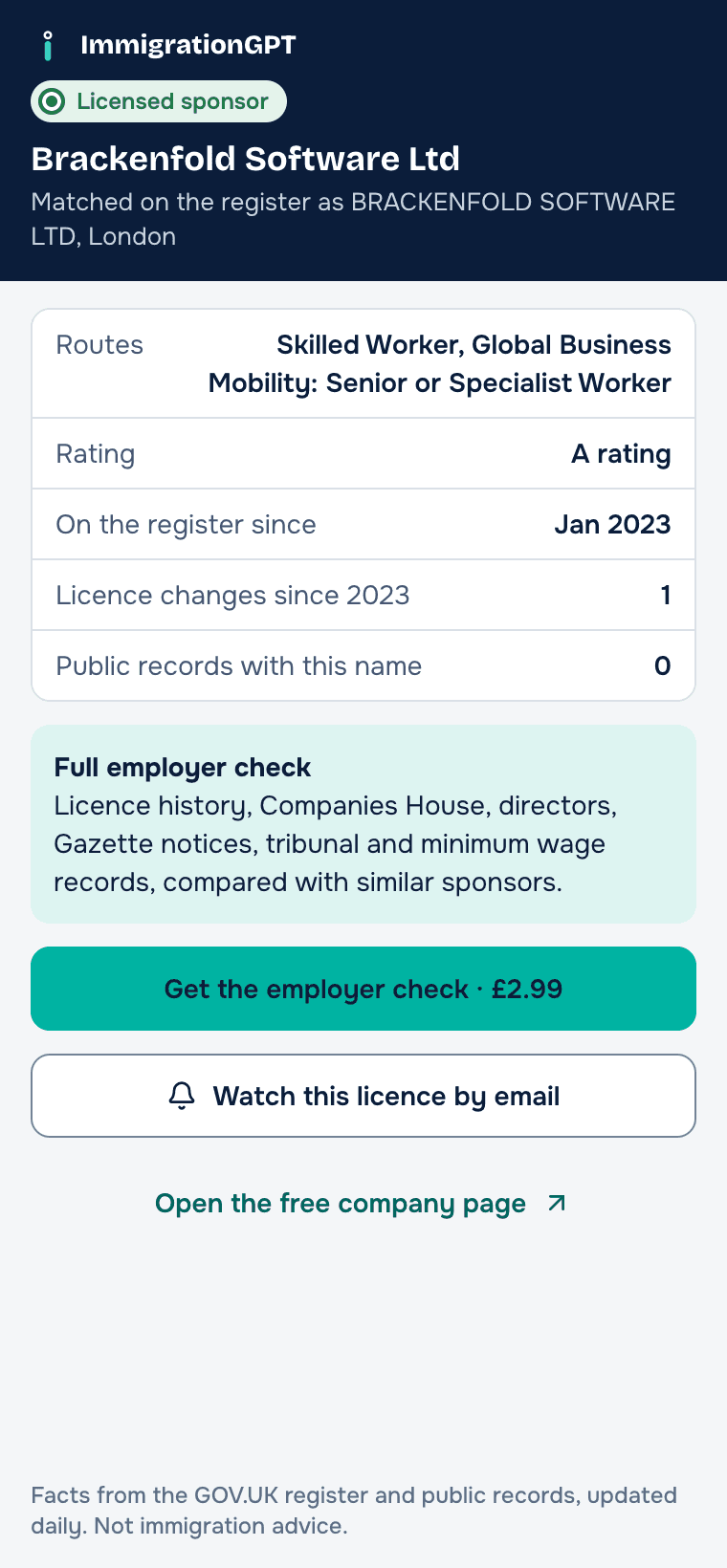
The side panel opens with the register facts for that sponsor. The job page stays where it is.
Step 3
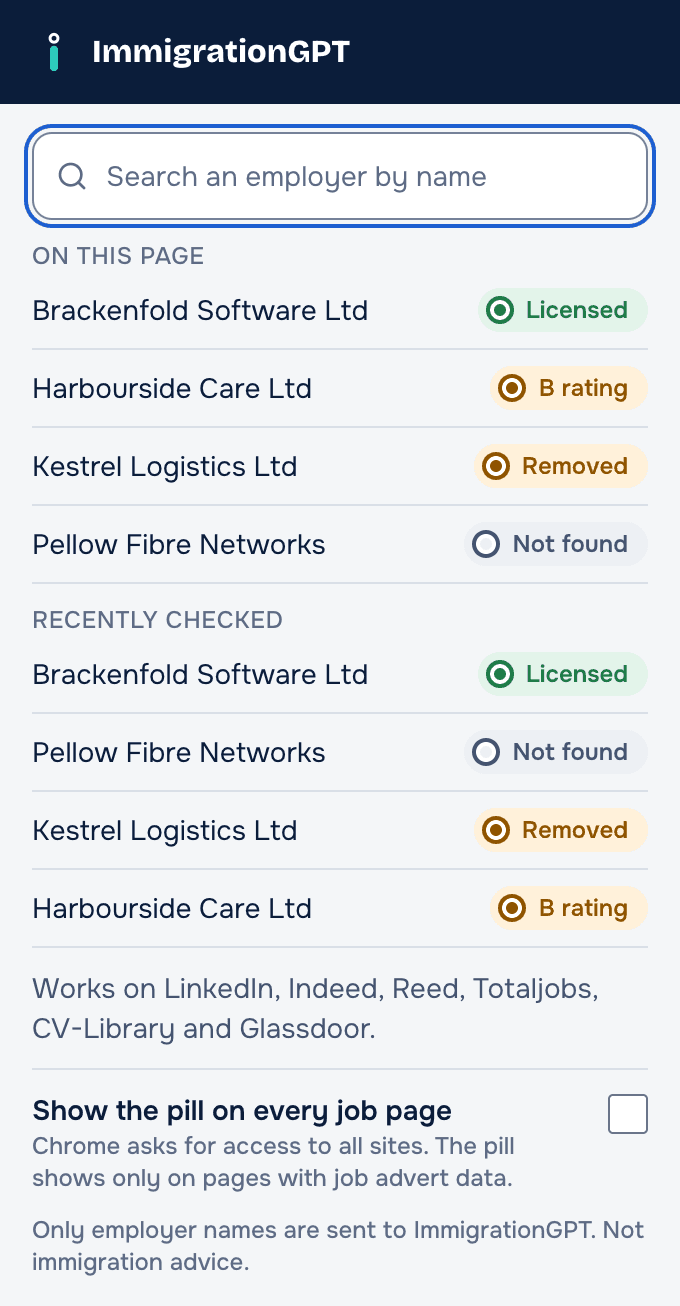
Or search from the toolbar
Click the icon to search the register by name. You also see the employers on the page and your last 10 checks.
What the pill tells you
The pill sits next to the employer name. When a lookup fails, no pill shows. A wrong pill is worse than none.
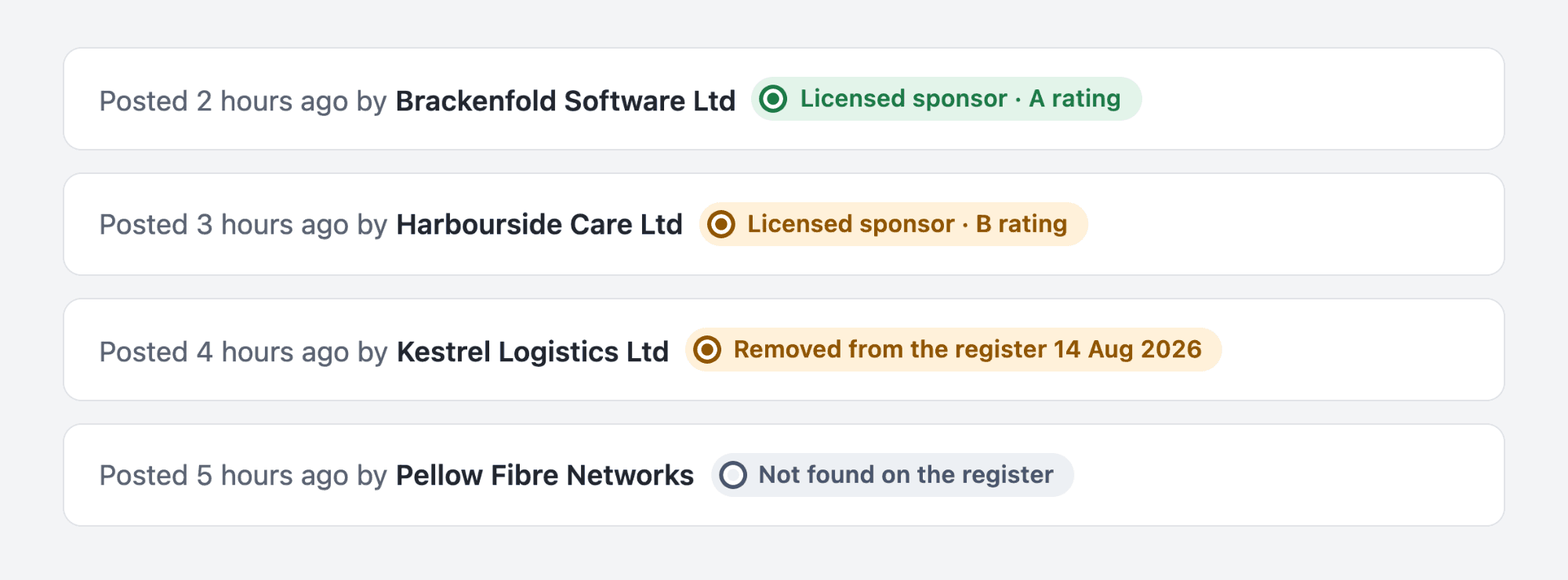
- Licensed sponsor · A rating
One sponsor on the register today matches the name, and it holds an A rating.
- Licensed sponsor · B rating
The sponsor is on the register with a B rating. The Home Office gives a B rating when a sponsor must fix how it meets its duties. A B-rated sponsor cannot sponsor new workers until it has an A rating again (GOV.UK sponsor guidance part 3, C8.15).
- Removed from the register 14 Aug 2026
The name matches a sponsor that was on the register and is not on it now. The pill shows the date it went.
- Not found on the register
No sponsor has a clear match for the name. Click the pill to search by another name.
A licence means the employer is allowed to sponsor workers. It does not show that it will sponsor a given job.
What the side panel shows
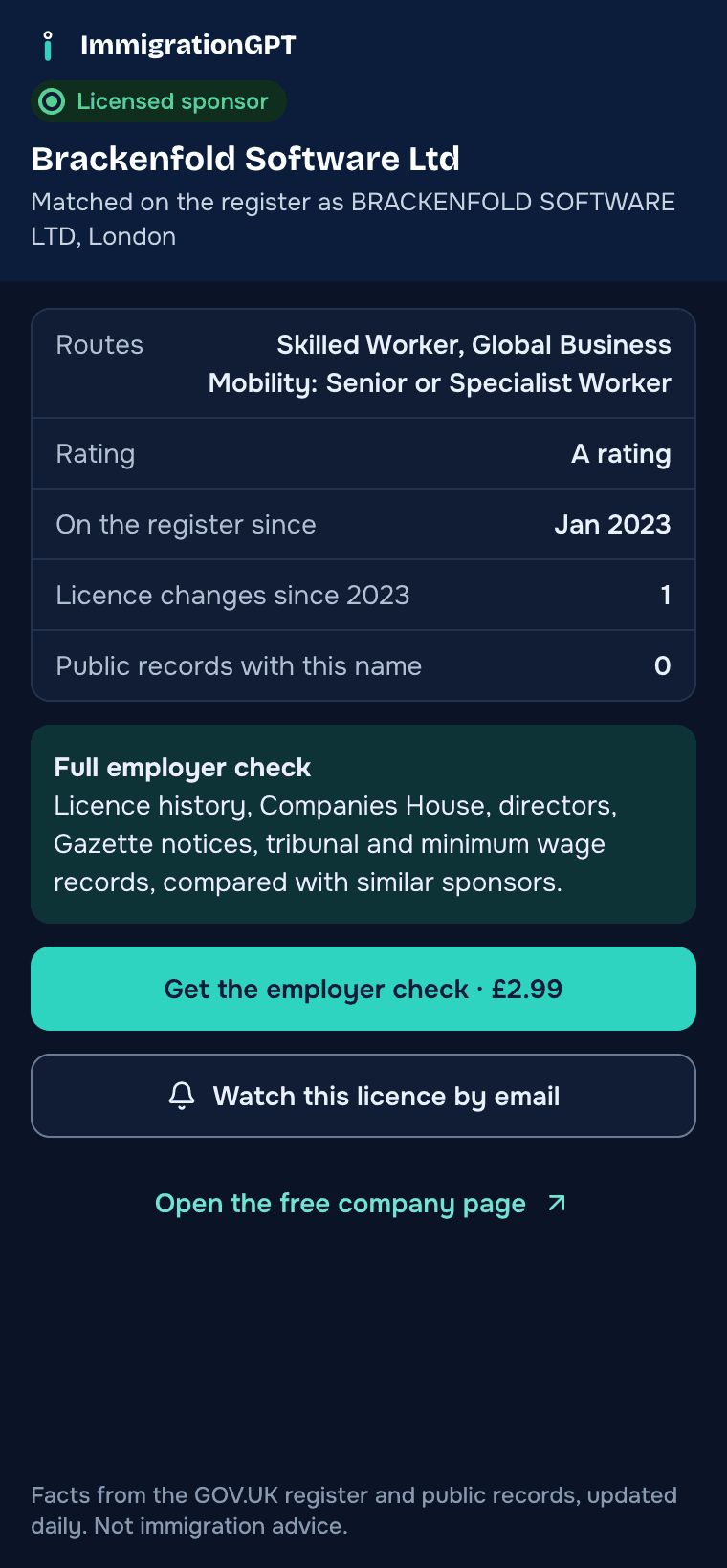
Click the pill and Chrome opens the side panel next to the job. It shows the facts we hold on that sponsor and the name it is listed under, so you can see what matched.
- Licence today
- Whether the sponsor is on the register, its rating and the routes it holds, such as Skilled Worker.
- On the register since
- The date of the earliest copy of the register that lists the sponsor. Our copies start in January 2023.
- Licence changes
- How many times the rating, routes or listing changed since 2023.
- Public records
- How many tribunal decisions and minimum wage lists name a company with this name. The free count does not show which ones.
From the panel you can open the free company page, get an email when the licence changes, or buy the employer check report.
Where it works
- Indeed UK
- Reed
- Totaljobs
- CV-Library
- Glassdoor UK
On these sites the pill shows on job adverts and on job cards in search results. On any other job page, click the extension icon. It reads the employer name from the structured job data the page gives search engines, if the page has it. A setting lets the pill show on those pages without the click. Chrome asks you before it turns on.
Need more than the register?
The employer check is a report on one company: licence history since 2023, Companies House filings and directors, Gazette notices, tribunal decisions and minimum wage records. The side panel links to it for the sponsor you are looking at.
One payment for one company. The price shows in your currency before you pay.
See the employer checkPrivacy
The extension sends only employer names to ImmigrationGPT. It sends no page text, web addresses, browsing history or account IDs, and it has no analytics. Like any web request, a lookup carries your IP address. We use it only to limit how many lookups one connection can make. Your recent checks stay in your browser.
More in our privacy policy.
What it cannot do
- It runs on Chrome on a computer. Chrome on phones does not run extensions.
- A job advert can show a trade name that differs from the name on the register. Then the pill says “Not found” and you can search by another name.
- Results can be up to a day old. The register on GOV.UK is the official list.
- It shows facts from public records. It does not tell you whether you qualify for a visa.
Questions people ask
Is the extension free?
Yes. The pill, the side panel and the search are free, with no account. The side panel also links to the paid employer check report, which you buy on the site only if you want it.
Which job sites does it work on?
LinkedIn, Indeed UK, Reed, Totaljobs, CV-Library and Glassdoor UK, on job adverts and on job cards in search results. On other job pages, click the extension icon. It reads the employer name that the page gives search engines, if the page has one.
Why does it say "Not found" for an employer I know?
The register lists the legal name of each sponsor. A job advert often shows a trade name or brand, which can be different. The extension shows a result only when one sponsor is a clear match. Search the full sponsor list by another name, such as the company name on Companies House.
Does a licensed sponsor mean the job comes with a visa?
No. A licence means the employer is allowed to sponsor workers. It does not show that it will sponsor a given job, or that the job meets the salary and skill rules for a visa.
How up to date is it?
We copy the GOV.UK register of licensed sponsors every day. Your browser keeps a result for up to 24 hours, so a change can take a day to show. The register on GOV.UK is the official list.
What data does it read or send?
It reads the employer name on the job page and sends only that name to ImmigrationGPT. It sends no page text, web addresses or account IDs, and it has no analytics. Your last 10 checks stay in your browser.
Does it work on phones?
No. Chrome on phones does not run extensions. On a phone, search the sponsor list on the site, or paste the advert into the job offer check.
Check the employer before you apply
The extension works on Chrome on a computer. On this phone, search the sponsor list or paste an advert into the job offer check.
ImmigrationGPT gives information from public records, not advice on your case. For advice, speak to a regulated adviser.